 EN
EN

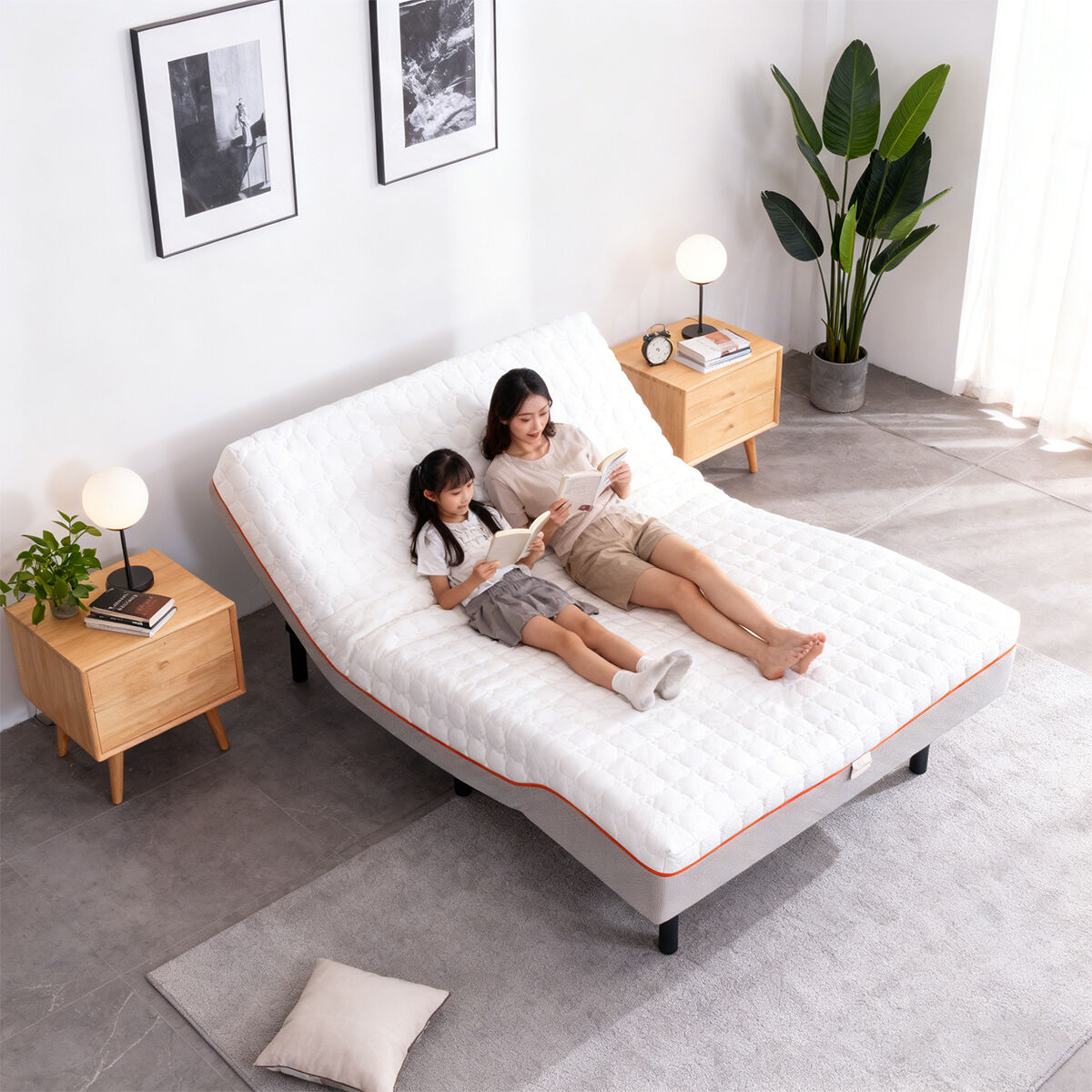
Prepare Your Smart Bed Mattress and Mobile Device for Pairing
Before connecting your smart bed mattress to a mobile app, proper preparation is key, and I learned this when I rushed the first setup of my Xiarsr smart bed mattress and forgot to check the Bluetooth status—wasting 20 minutes on a simple fix! Smart home tech experts stress that pre-pairing prep avoids 90% of connection issues for a smart bed mattress, and the steps for Xiarsr’s smart bed mattress are straightforward and user-friendly. First, ensure your smart bed mattress is fully powered on; Xiarsr’s smart bed mattress comes with a clear power indicator, so you’ll know at a glance if it’s ready. Next, check that your phone’s Bluetooth and Wi-Fi are enabled (2.4G Wi-Fi is best for smart home devices, a tip from all top smart home installers) and that your phone’s system is up to date—this prevents app compatibility glitches with the smart bed mattress. Also, download the official Xiarsr app from your app store; it’s custom-built for the brand’s smart bed mattress and other smart sleep products, so it has all the tailored features you need. This quick prep stage makes the actual pairing of your smart bed mattress and app smooth and stress-free, no tech expertise required.
Locate the Pairing Mode on Your Smart Bed Mattress
Finding the pairing mode is the next step to link your smart bed mattress to the app, and Xiarsr has designed this part to be ultra-intuitive for its smart bed mattress—something I really appreciated after struggling with a generic smart mattress that had a hidden pairing button last year. Smart home device designers note that a clear, easy-to-access pairing function is a mark of a well-engineered smart bed mattress, and Xiarsr delivers this perfectly. On Xiarsr’s smart bed mattress, the pairing button is on the side control panel, marked with a Bluetooth icon for instant recognition; simply press and hold it for 3 seconds, and the indicator light will flash blue to signal the smart bed mattress is in pairing mode. Unlike other smart bed mattresses that have vague flashing light codes, Xiarsr’s smart bed mattress uses simple, clear light signals—solid blue means connected, flashing blue is pairing mode, red is low power—so you never guess what your smart bed mattress is doing. This thoughtful design is a testament to Xiarsr’s focus on user experience, making even the techy steps of using a smart bed mattress feel effortless.
Complete the App Pairing and Initial Setup for Your Smart Bed Mattress
Once your smart bed mattress is in pairing mode, the app setup is a breeze, and my experience with Xiarsr’s smart bed mattress proved that professional brand design makes all the difference. Open the Xiarsr app, create or log into your account, and select “Add Device” then “Smart Bed Mattress” from the list— the app will automatically scan for nearby devices, and your Xiarsr smart bed mattress will pop up in seconds. Tap to connect, and the app will complete the pairing in under a minute; smart home connectivity specialists confirm that a fast, seamless pairing process like this is due to high-quality Bluetooth modules in the smart bed mattress, which Xiarsr uses for all its products to ensure stable connections. After pairing, the app will guide you through a quick initial setup: set your preferred sleep modes (like reading, snoring relief, or zero-gravity), calibrate the angle adjustment of the smart bed mattress, and save your personal settings. Xiarsr’s app even lets multiple family members create their own profiles for the same smart bed mattress, so everyone gets their perfect sleep setup—no more fighting over the smart bed mattress settings! This personalized setup makes your smart bed mattress feel tailor-made for your sleep needs.

Troubleshoot Common Connection Issues for Your Smart Bed Mattress
Even with the most user-friendly design, small connection hiccups can happen with a smart bed mattress, and knowing how to fix them fast is essential—I’ve had to troubleshoot my Xiarsr smart bed mattress a couple of times, and the brand’s clear guidance made it easy. Smart home support experts say the three most common issues with a smart bed mattress are weak Bluetooth signal, Wi-Fi interference, and low battery, and Xiarsr’s smart bed mattress has built-in fixes for all of them. If the app can’t find your smart bed mattress, move your phone closer (within 3 feet) to the mattress—Xiarsr’s smart bed mattress has a strong Bluetooth range, but physical barriers like walls can weaken it. If pairing keeps failing, restart both your phone and the smart bed mattress (just turn the mattress off and on again) to clear signal interference; Xiarsr’s smart bed mattress has a quick restart function that doesn’t erase your saved settings. If the connection is unstable, check that no other high-bandwidth devices are using the same 2.4G Wi-Fi—this avoids signal clashing with your smart bed mattress. Xiarsr also includes a detailed troubleshooting guide in the app and on its product manual, so you have all the info to fix your smart bed mattress’s connection issues on your own, no need to wait for customer support.
Explore Smart Features and Customization in the App for Your Smart Bed Mattress
Once your smart bed mattress is connected to the app, the real fun begins—exploring all the smart features that make Xiarsr’s smart bed mattress a game-changer for sleep, and I still discover new tricks with mine months after setup! Smart sleep technology experts highlight that a great smart bed mattress isn’t just about connection, but about how the app unlocks the mattress’s full potential, and Xiarsr nails this. Through the app, you can adjust the angle of your smart bed mattress with a simple slide of your finger—far more precise than the physical control panel—and save custom sleep modes for every occasion: a slight head lift for reading, a gentle leg raise for relaxation, or a zero-gravity position for deep sleep. The app also tracks your sleep data when you use the smart bed mattress, showing you your sleep duration and quality, and even makes personalized suggestions to improve your sleep. Xiarsr’s smart bed mattress also syncs with other smart home devices through the app, so you can set up routines like “bedtime mode” that dims your lights and adjusts your smart bed mattress at the same time. Best of all, Xiarsr regularly releases app updates with new features for the smart bed mattress, so your sleep tech keeps getting better over time. This seamless integration of app and smart bed mattress is what makes Xiarsr’s product stand out—turning a simple mattress into a personalized smart sleep solution.